Getting patents
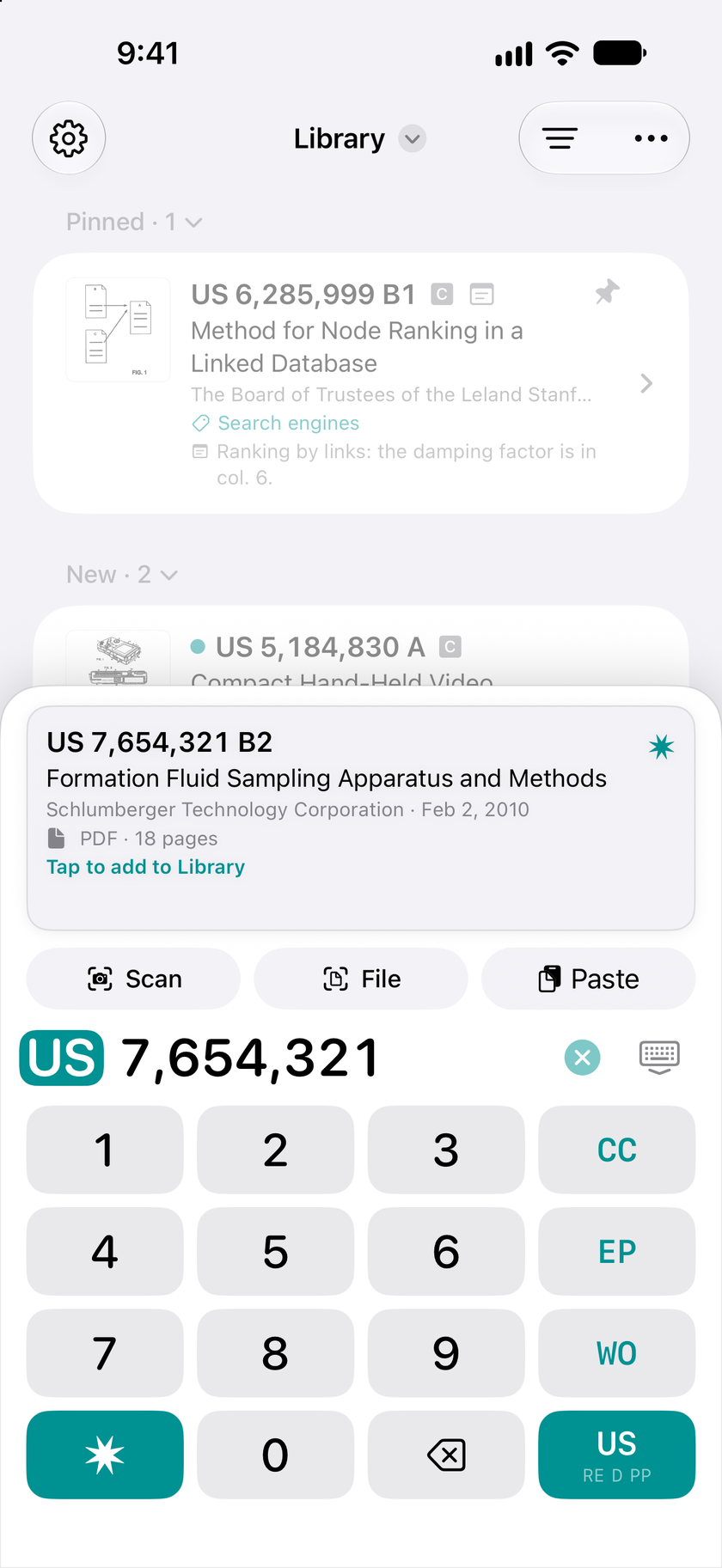
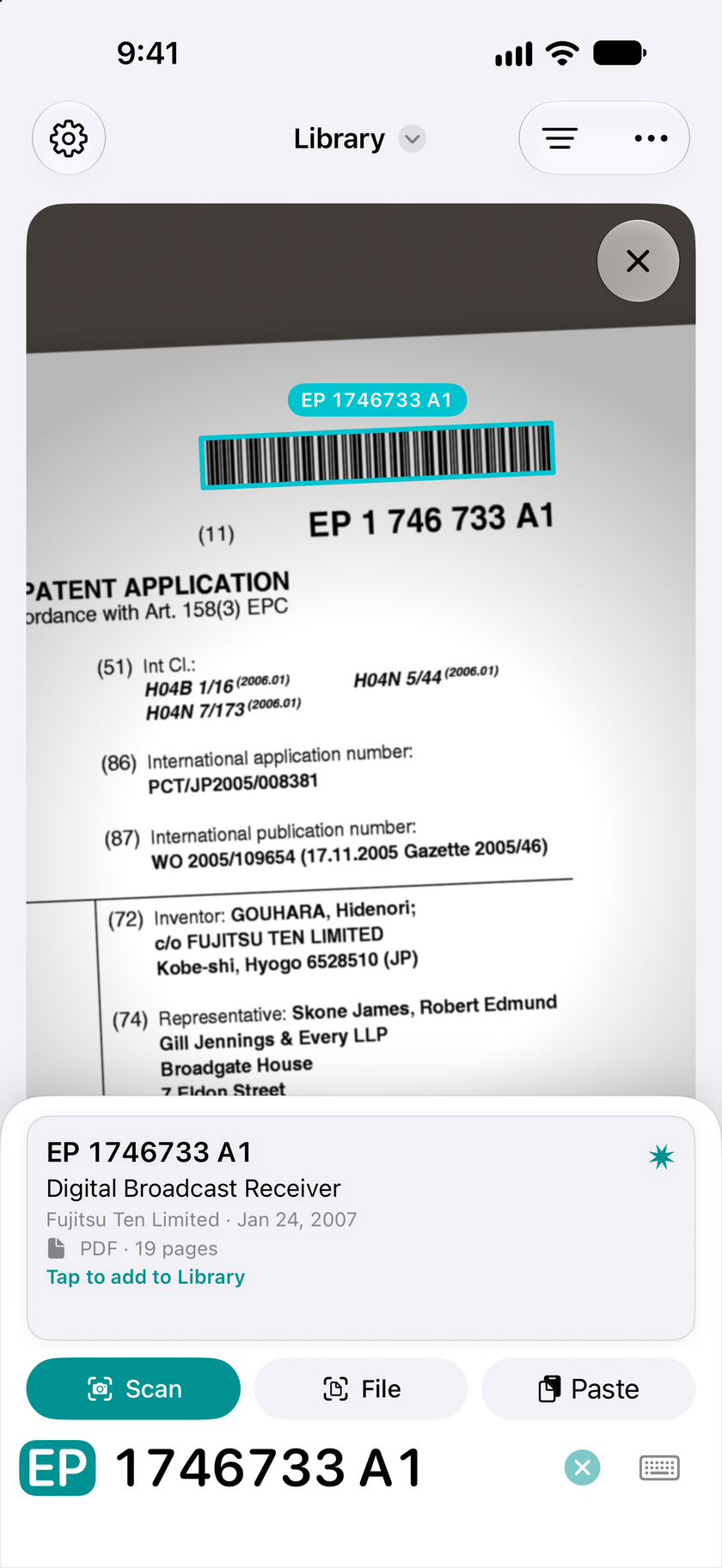
Dial a patent’s number on the keypad, or scan the barcode or QR code on its front page, and you’ll see the patent before you fetch it. Paste a list of numbers, or open an image or a PDF, and Accio Patent finds the patent numbers in it. Documents come straight from the USPTO and the European Patent Office, whose collection covers patents from around the world.
A column at a time
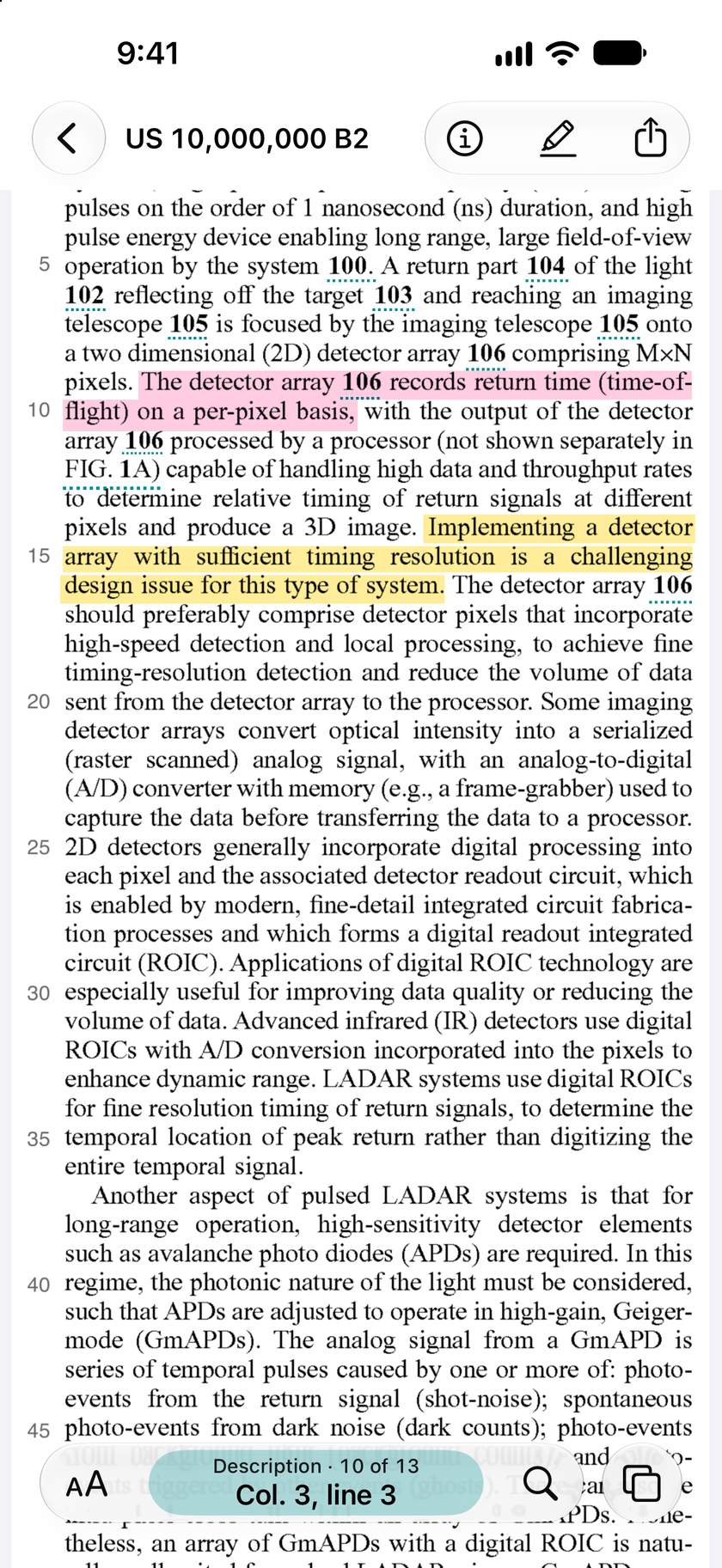
Accio Patent splits a patent so you can read it one column at a time, even on an iPhone, with the column and line in the bar at the foot of the screen. Selected text, highlights, and notes go exactly where you expect them to go.
This isn’t basic OCR. The reader is built to read nearly any modern patent accurately, and many older ones too.
Figures and places
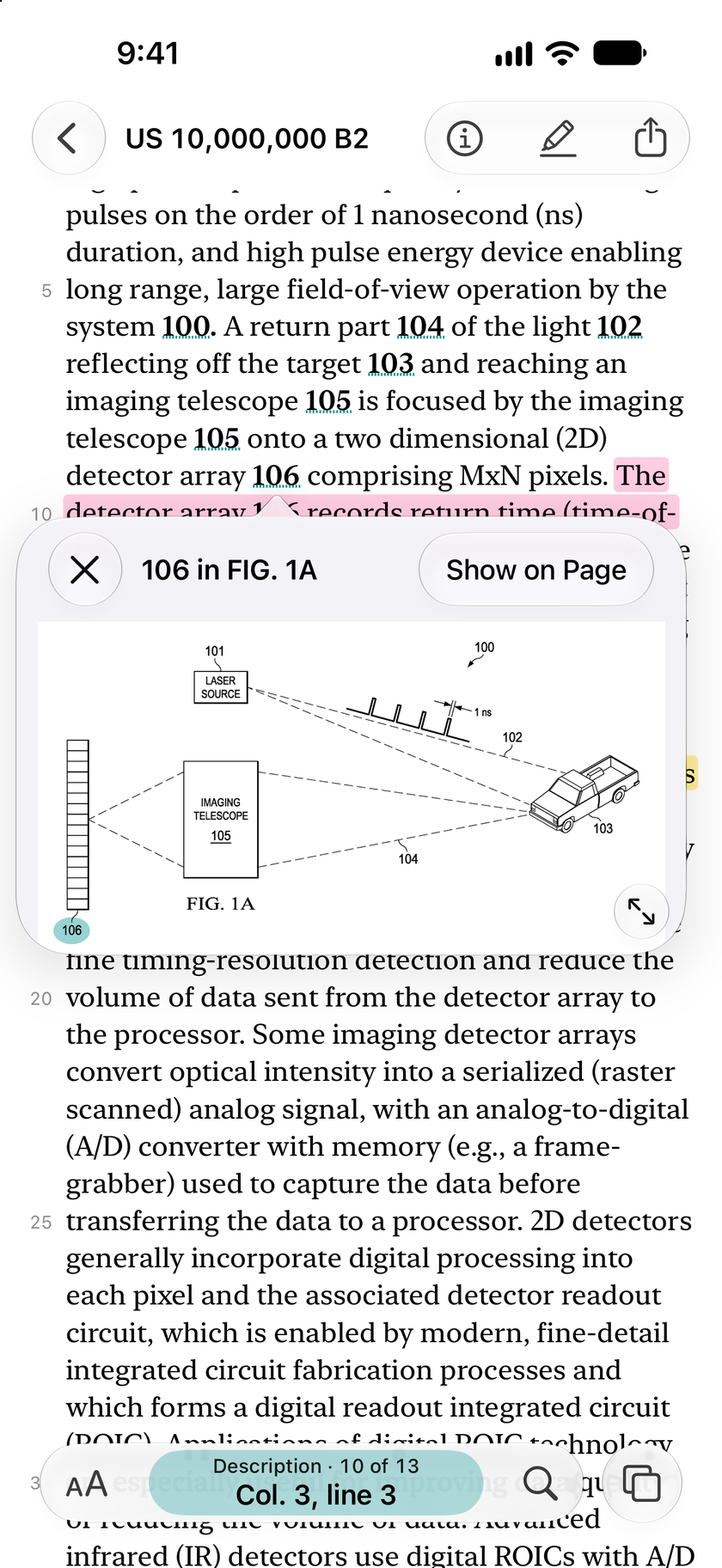
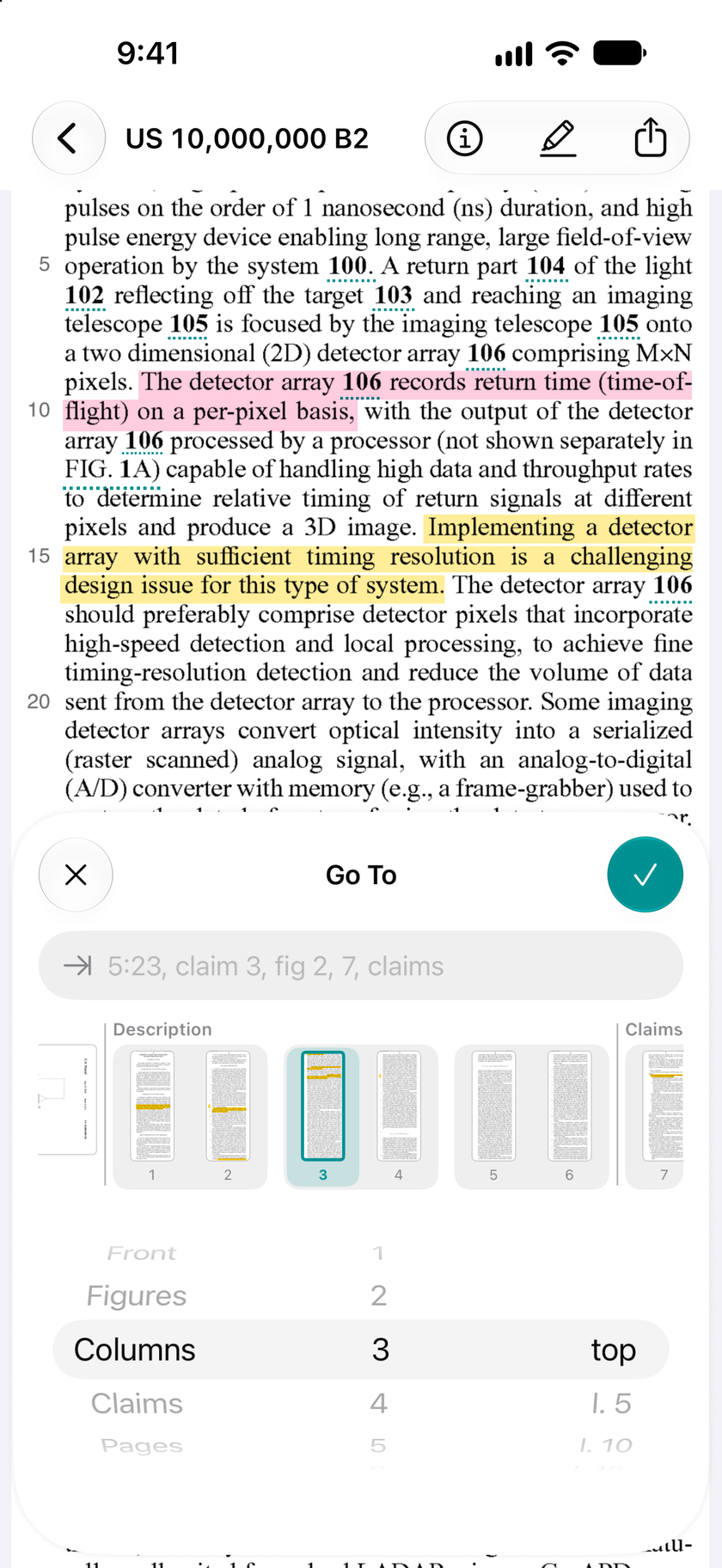
Tap a figure or part number, and the figure comes up with the part you tapped highlighted. Go To takes you to any column and line, paragraph, figure, or claim, by its wheels or by typing a place like 5:23 or claim 3.
The full text
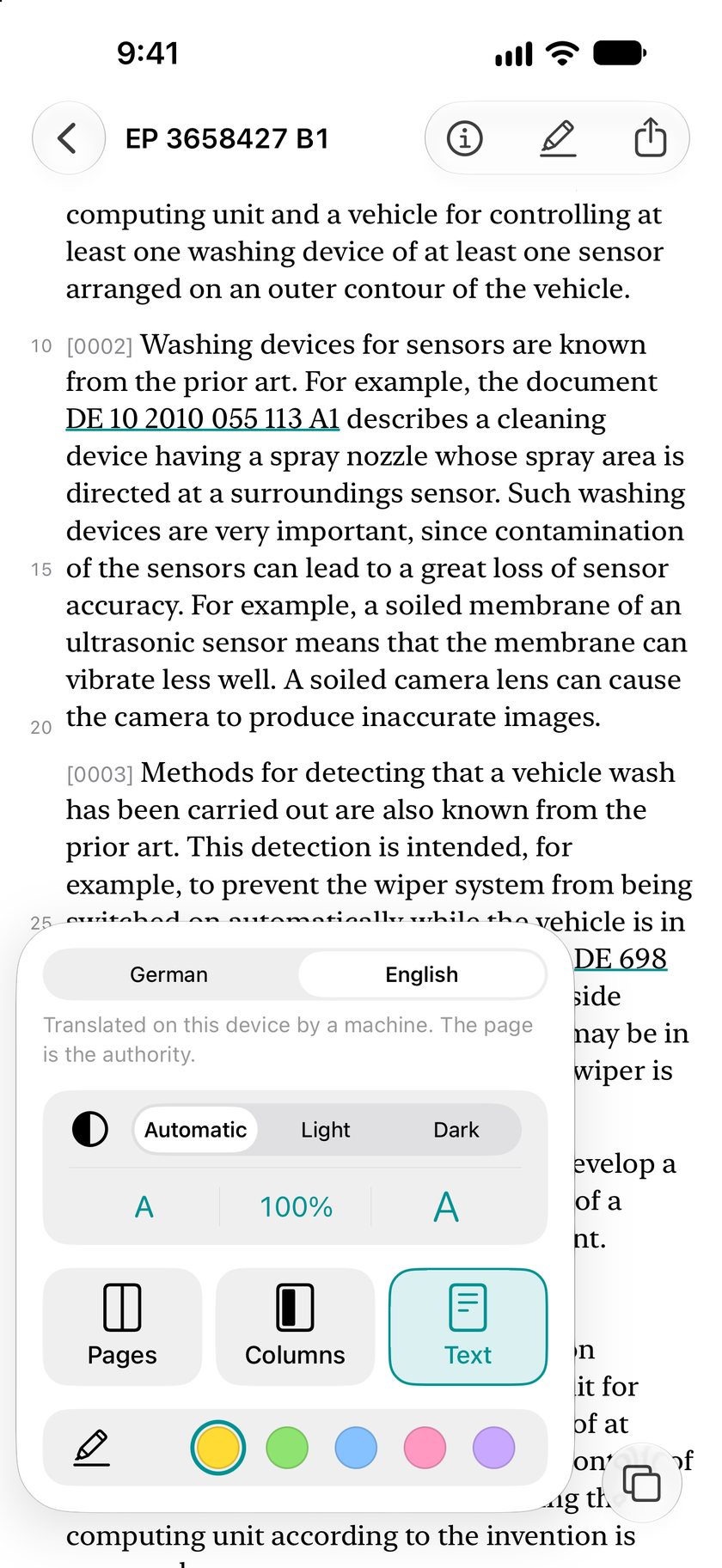
Flip to the full text and back whenever you want. The text keeps the patent’s column and line numbers, so a passage copied from it is cited the same way, and a highlight made in the text shows in the PDF too. A Certificate of Correction’s changes are shown in the text, and a patent in another language can be read in English, translated on your device.
Highlights and citations
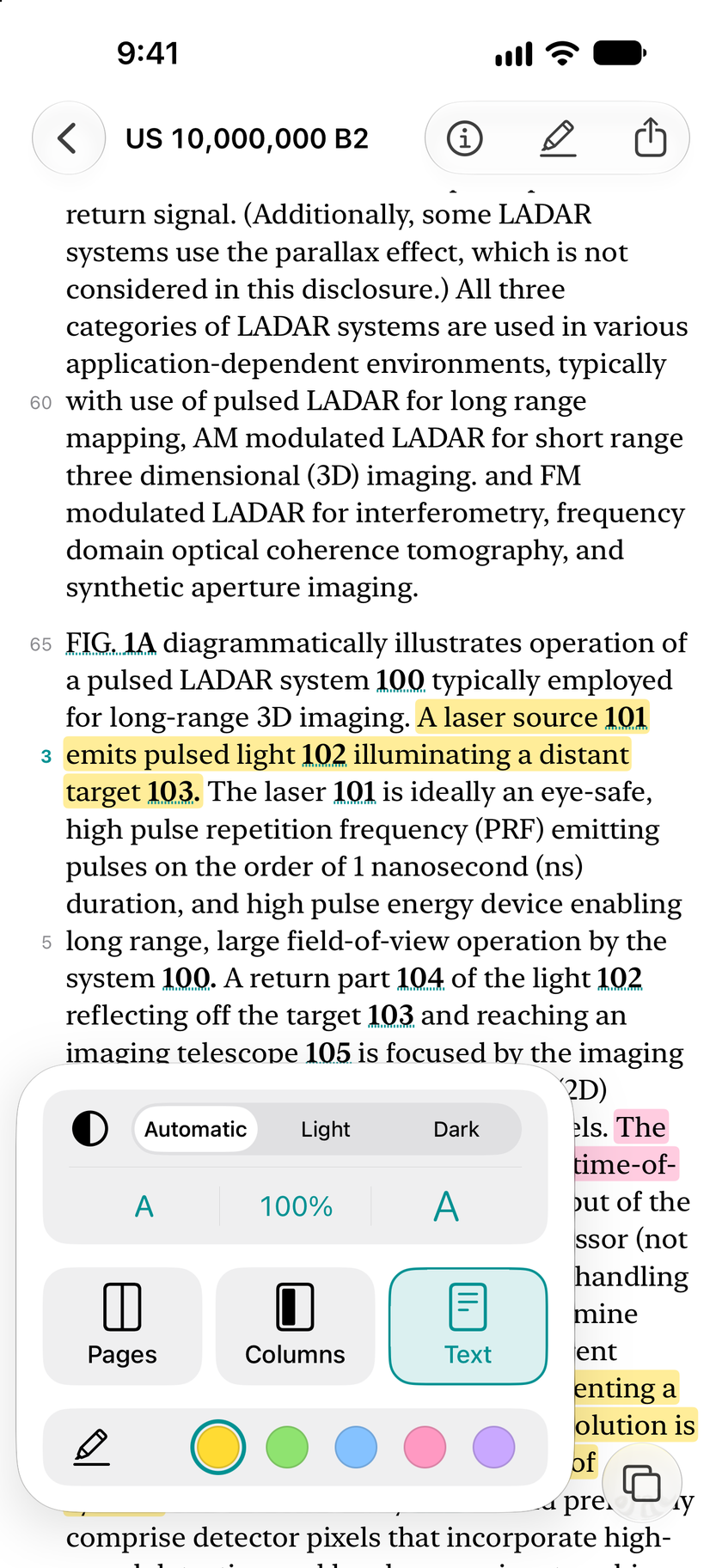
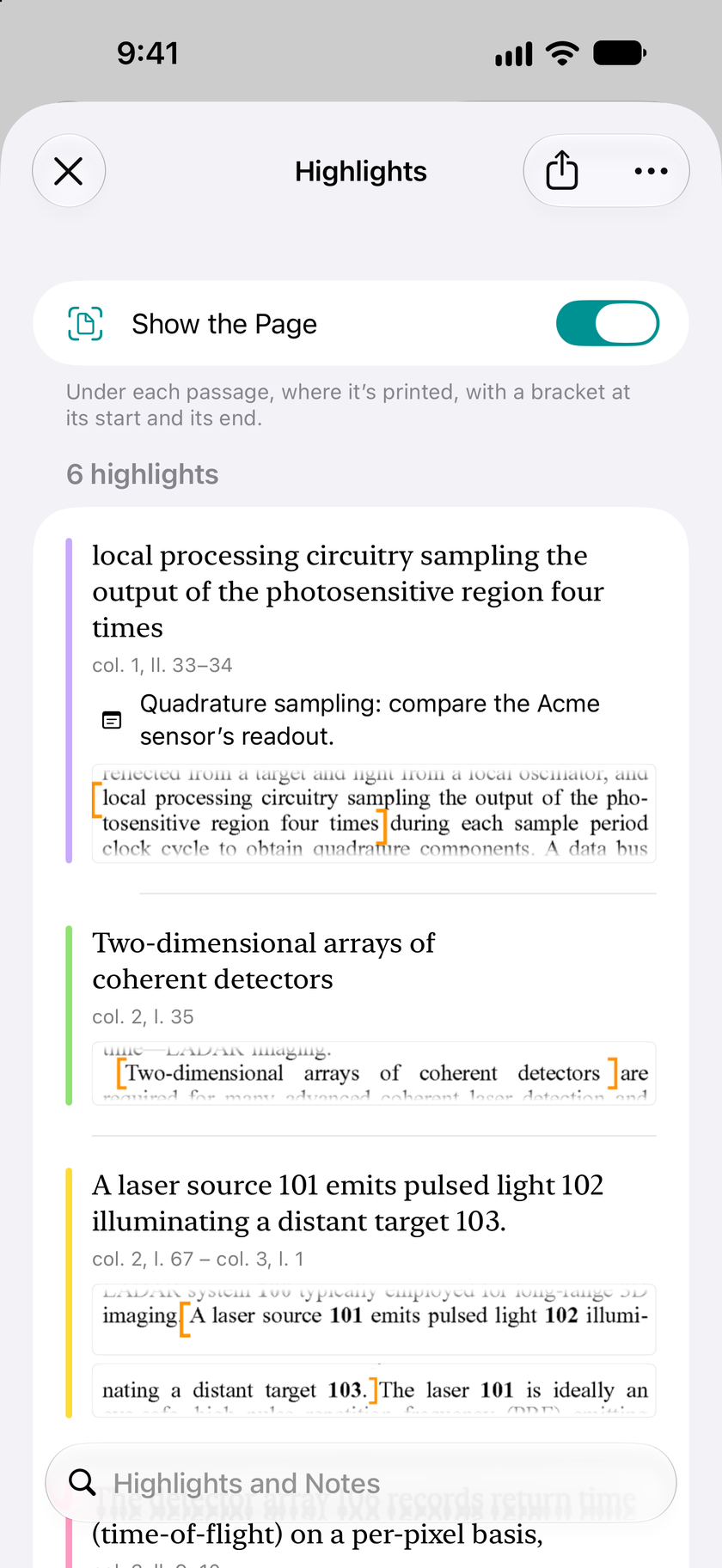
Copy any passage with its citation, down to the column and line or the paragraph numbers. Every highlight is listed with its citation, your note, and the piece of the page it’s printed on.
Share the PDF with your highlights and notes in it, or a page of just your highlights, with their citations and the pieces of the pages.
Your Library
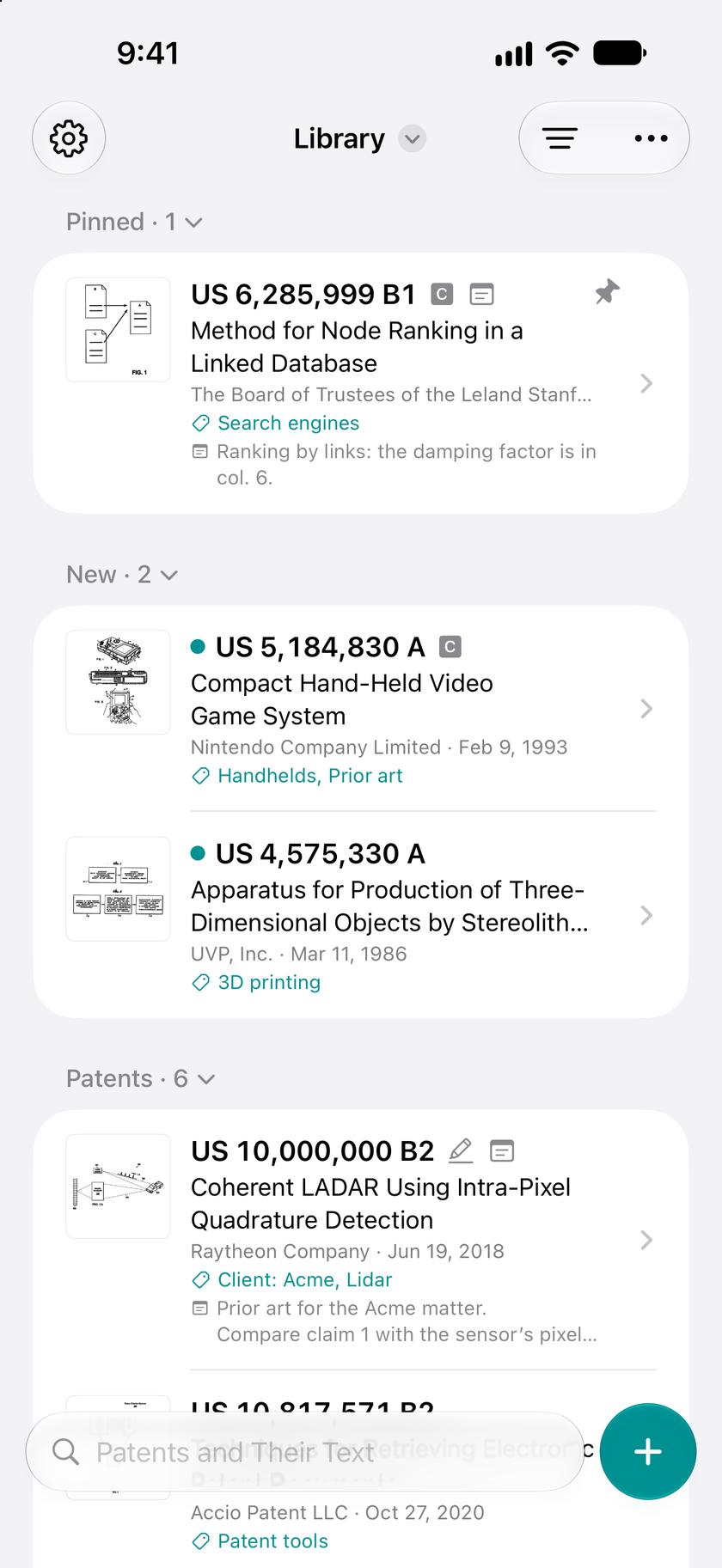
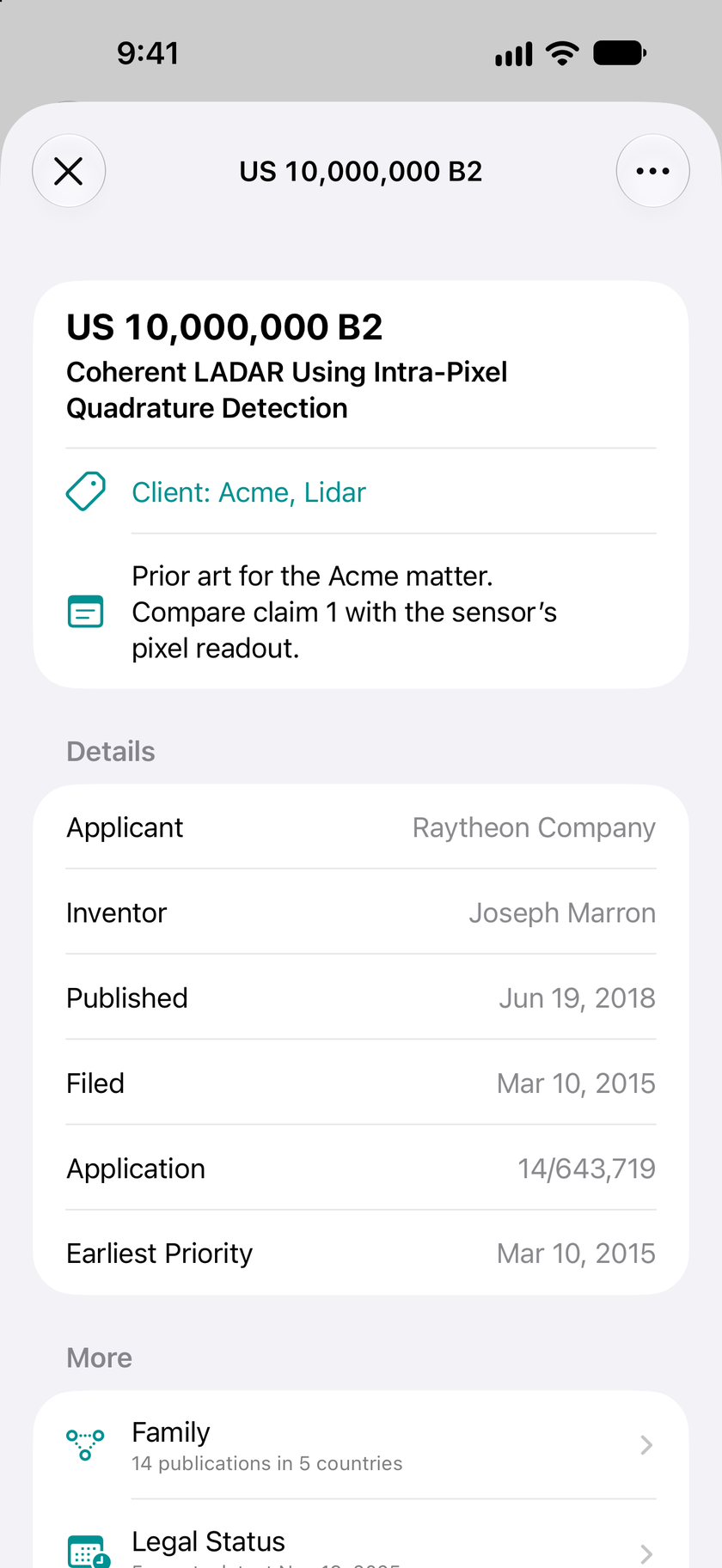
Every patent you fetch stays in your Library, syncs through your own iCloud, and opens without a connection. Tag, pin, archive, and search your patents, including their text. A patent opens to its document, and its details are a tap away: your tags and notes, its family, its legal status, and its citations.
On iPad and Mac
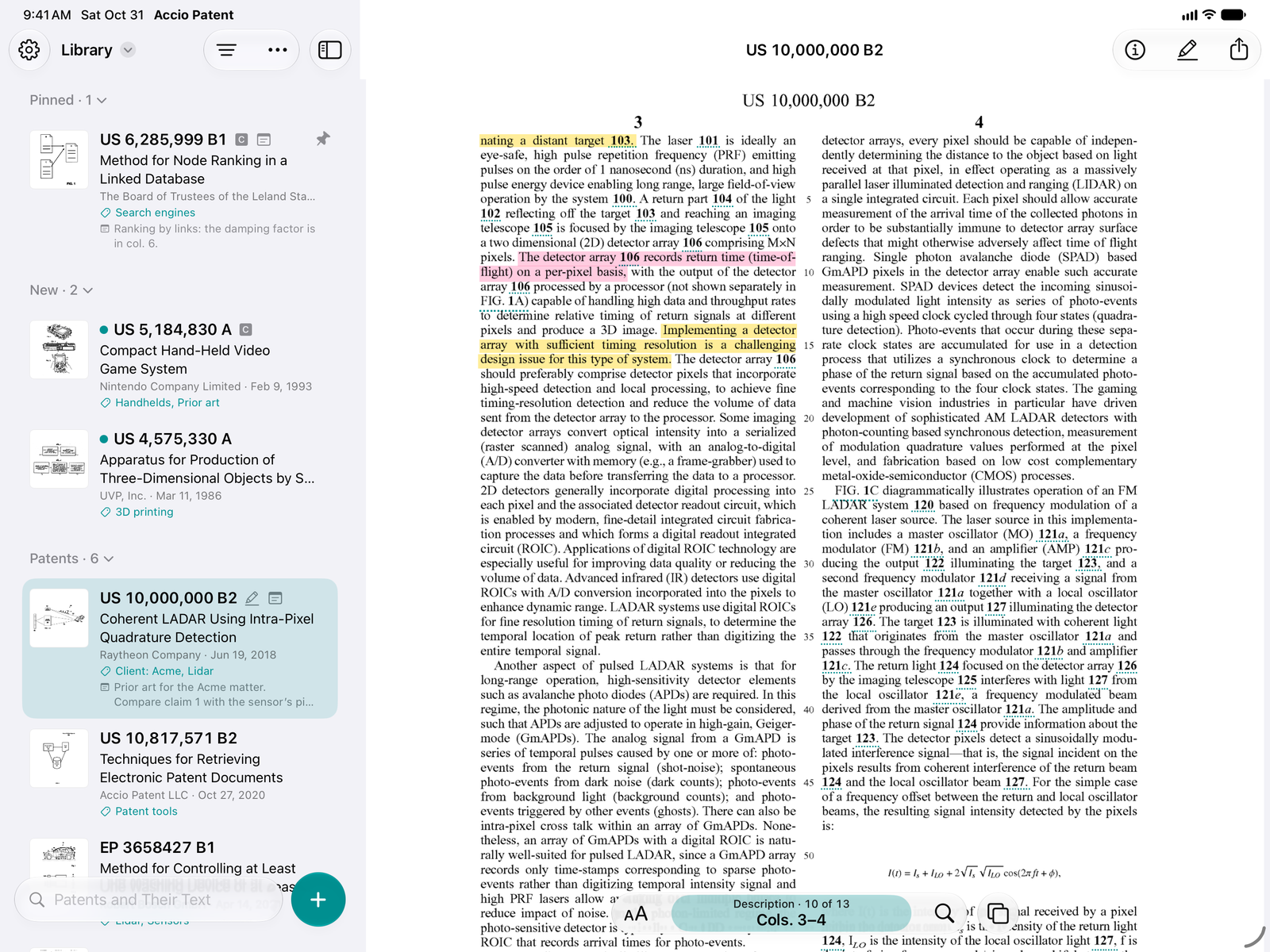
On an iPad or a Mac with Apple silicon, your Library stays in a column beside the patent you’re reading, and its pages fill the rest of the screen. Open a second window to read two patents side by side. One subscription covers all your devices.
While Google Patents and other services have helped make things a little easier, there is no doubt that patent lawyers and agents would benefit from more modern options — such as Accio Patent’s solution directed at retrieving PDF copies of patents.
The app streamlines the task of fetching a patent in multiple ways. First, the app makes it as easy as possible to enter the patent number. You can type the number using a numeric keypad. Better yet, if you have access to a hard copy of the first page, you can … scan the barcode.
Privacy
Patent numbers go from your device straight to the patent offices, your Library syncs through your own iCloud, and camera images never leave your device.
- No ads
- No tracking
- No analytics
- No accounts
10 patents free, then Premium
Accio Patent comes with sample patents to try every feature. On top of those, the first 10 patents you fetch are free, with everything included. To fetch more, subscribe to Accio Patent Premium.
$29.99
a year
- Unlimited patentsFetch every patent you need.
- Read, highlight, and citeEvery feature, for every patent.
- On all your devicesiPhone, iPad, and Mac, through your own iCloud. With Family Sharing, up to five family members get Premium too.
- No account, no trackingNothing to sign up for.

Cancel anytime in Settings, at least a day before it renews. Patents you’ve already fetched stay yours to read either way. Requires iOS 26, iPadOS 26, or macOS 26 on a Mac with Apple silicon.
Questions
Which patent offices does it cover?
The keypad has keys for United States patents (US), European patents (EP), and international applications (WO), and a fourth key for any other office. Patents and their details come from the USPTO and the European Patent Office, whose collection covers patents from around the world. Whether a PDF is available depends on the office and the patent’s age.
Which patents have barcodes?
Many offices print a barcode or QR code on a patent’s front page, among them the United States, the European Patent Office, and China. The Barcodes page has samples to try. For a page without one, open a photo of it, and Accio Patent finds the patent numbers in it.
What’s free?
The sample patents, plus the first 10 patents you fetch, with everything included. After that, fetching new patents needs Accio Patent Premium. Patents you’ve already fetched stay yours to read either way.
Are my searches private?
Yes. Patent numbers go from your device straight to the patent offices. To use the European Patent Office’s data service, the app gets an access token from a small service of ours, which never sees a patent number and keeps no IP addresses. The privacy policy has the details.
I used Accio Patent before 2.0. What comes with me?
Your history, your PDFs, and your subscription. Version 2.0 keeps your PDFs in your Library and syncs them through your own iCloud.
How do I get a PDF onto my computer?
Accio Patent runs on a Mac with Apple silicon, with your Library and its PDFs synced through iCloud. Or share a PDF from any device, with or without your highlights and notes in it.
Is there an Android version?
No, and there’s no plan for one.